Configure Suomi.fi User Directory (Finland only)
A Suomi.fi-tunnistus user directory lets Trivore ID act as a trust gateway between an external service and suomi.fi-tunnistus, Finland's governmental strong identification service. It supports:
- Electronic citizen identification via Bank ID, Mobile ID, and governmental ID card, eIDAS compliant at substantial or high level of assurance (LoA).
- Signing a user in to a service, with Trivore ID mediating between the service and suomi.fi-tunnistus.
- Electronically signing a contract or document, via the same suomi.fi-tunnistus identification.
This is the common choice when a service needs to know, with legal certainty, who is signing in and using it — official uses by municipalities, cities, and ministries are typical. A separate, enterprise-oriented variant exists for web shops and similar needs.
Setting this up
At a high level:
- Plan the desired end state by reviewing your business requirements, and map those to technical details.
- Create or select the namespace this will apply to.
- Create a user directory of type Suomi.fi in that namespace (covered below).
- Have the external service attach to Trivore ID using OpenID Connect Dynamic Configuration, OIDC authentication, and the UserInfo endpoint.
Reviewing business requirements and creating or selecting a namespace are outside the scope of this page.
Benefits
This sign-in method creates and maintains user accounts with an official, legal strong identity in Trivore ID, chained from the population register master data held by DVV for Finland. What you do with an account identified this way is largely up to you and beyond the scope of this page.
Use case variations
Permanent user accounts with traditional sign-in
The most common variation, used by CRMs, transaction services, web shops, and similar longer-term processes: the user is authenticated and identified once via suomi.fi-tunnistus, and a password is additionally set for the account. From then on, the user may sign in either with their username and password, or via suomi.fi-tunnistus. Trivore ID's built-in MFA can be enabled or enforced for an extra layer of security.
Permanent user accounts with suomi.fi-tunnistus sign-in only
Common among municipalities, where the goal is to enforce strong sign-in for every session. It's less user-friendly than the variation above, but some processes are specifically designed around it. Accounts are permanent, but typically have no password set at all, so username/password sign-in isn't possible. MFA can still be enabled or enforced on top.
Authentication gateway usage
Where there's no need to retain the user account long-term — for example, if the external service only needs the account's data for up to 24 hours — the account is automatically removed afterward.
Configure Trivore ID
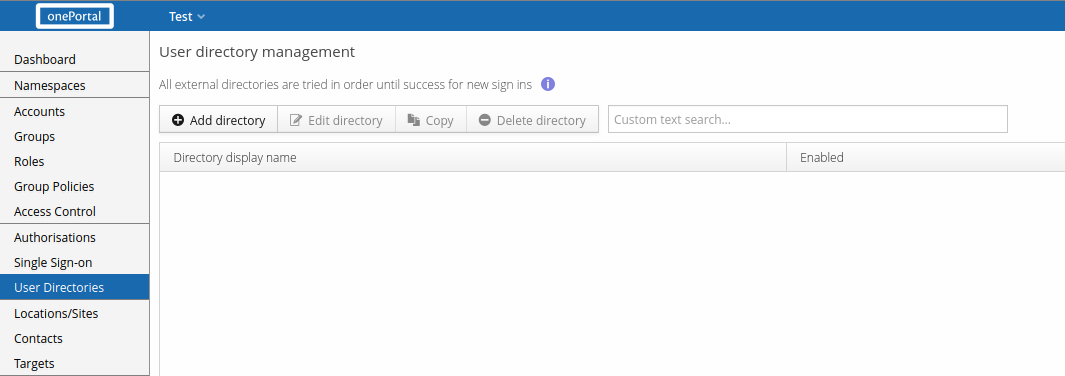
Select User Directories from the Main Menu and select Add directory.
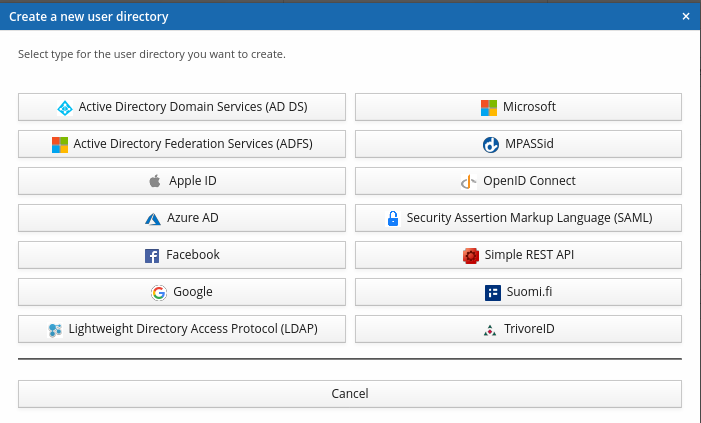
Select the directory type Suomi.fi.
Core settings and user information
Suomi.fi uses the same core settings as other SAML-based user directories — see Common SAML user directory settings and Common user directory settings. Most user information attribute mappings can be left at their sensible defaults for Suomi.fi directories.
Linking users is disabled by default for Suomi.fi directories. Enable Link user with
directory if you want to use Suomi.fi for sign-in (rather than strong identification only).
Suomi.fi doesn't provide a convenient attribute for Link ID; common choices are the
personal identity code (HETU) or the electronic identification number (SATU, also known as
FINUID, the Finnish Unique Identification Number) — attribute names
urn:oid:1.2.246.21 or http://eidas.europa.eu/attributes/naturalperson/PersonIdentifier
respectively. Enable Encrypt Link ID using salted hash algorithm whenever Link ID holds
sensitive information, such as the personal identity code.
Suomi.fi directories also don't provide a convenient username attribute; the Automatic namespace username policy is preferred.
See also
- Strong Identification Explained and Initiating interactive strong identification, for the underlying strong identification concepts and API.
- Suomi.fi-tunnistus metadata change, for updating this directory's SAML metadata when certificates change.
- How-to: Suomi.fi, for a full step-by-step walkthrough including registering the e-service with Suomi.fi's own service management.