Configure MPASSid User Directory
This page covers how to configure Trivore ID authentication to work with MPASSid. Configuring MPASSid itself is out of scope here — only the general requirements are covered.
This lets users sign in to Trivore ID using their MPASSid credentials.
Configure Trivore ID
First, select User Directories from the Main Menu and select Add directory.
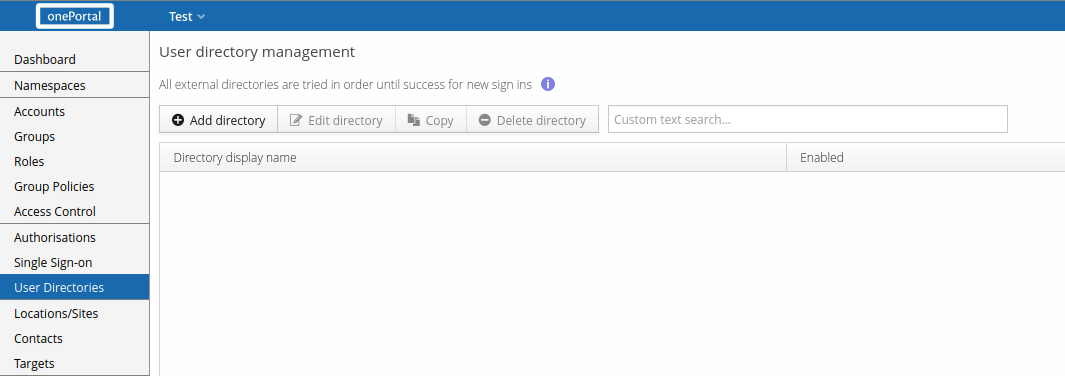
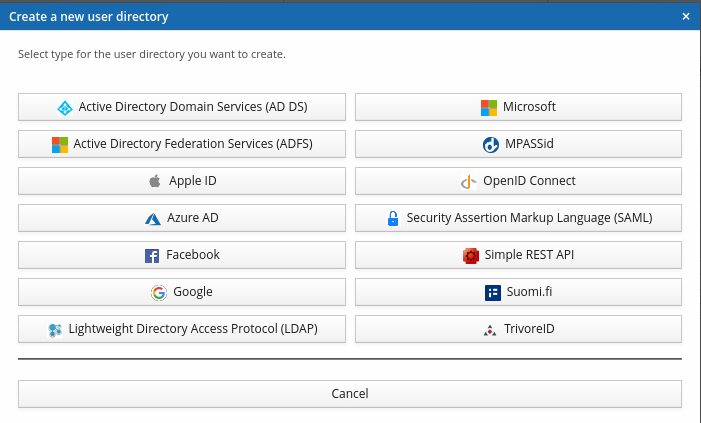
You'll be asked to select a directory type — select MPASSid.
Core settings
Configure the necessary settings, including Name, Client ID, and Client secret. The default Scope is chosen based on MPASSid's own documentation and should be left as-is.
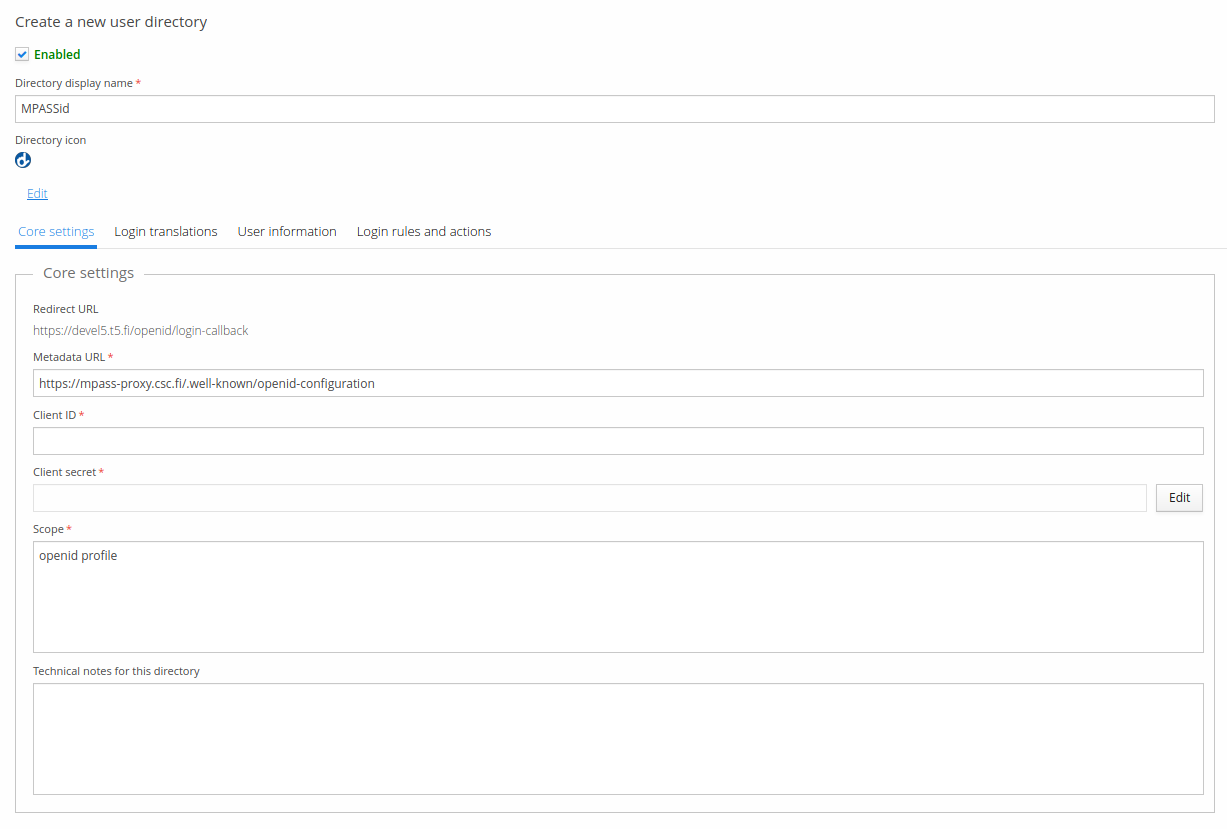
Client ID and Client secret depend on the MPASSid service provider — MPASSid needs to be configured first before these values are available. You'll need the Redirect URL (shown in the screenshot) when configuring MPASSid; note this value differs per Trivore ID instance.
User information
Once the core settings are configured, review the user attribute mappings — the defaults are chosen according to MPASSid's documentation. See MPASSid data models for details, and Common user directory settings for the basic user information attributes.
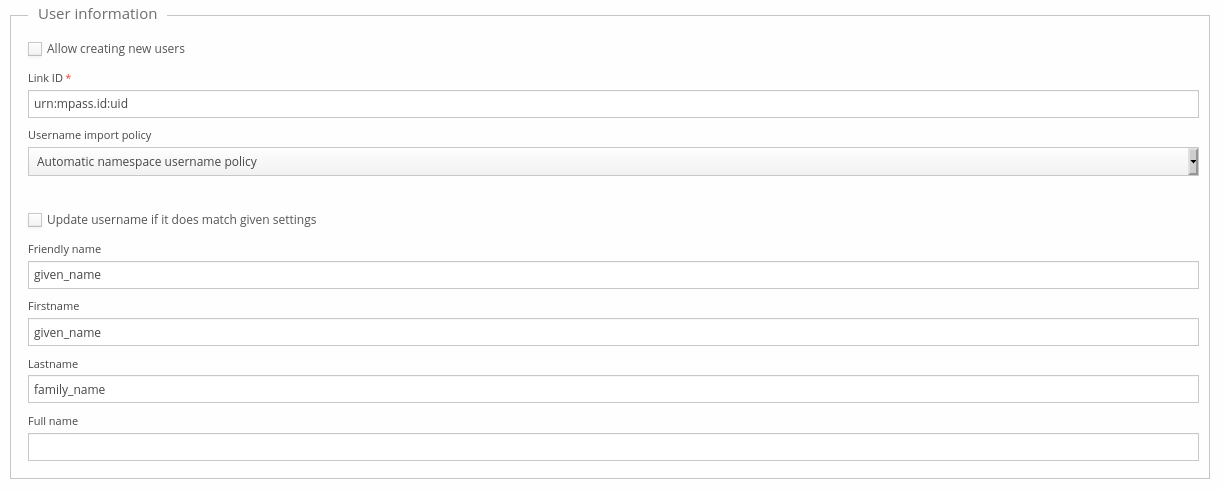
Trivore ID can also import student information from MPASSid. As a general rule, these attribute mappings shouldn't be changed unless MPASSid changes its own data models — some attributes are multivalued, and the role attribute is a structured attribute; these details are all handled internally. A change to MPASSid's data model likely requires a corresponding Trivore ID update to take full advantage of it.
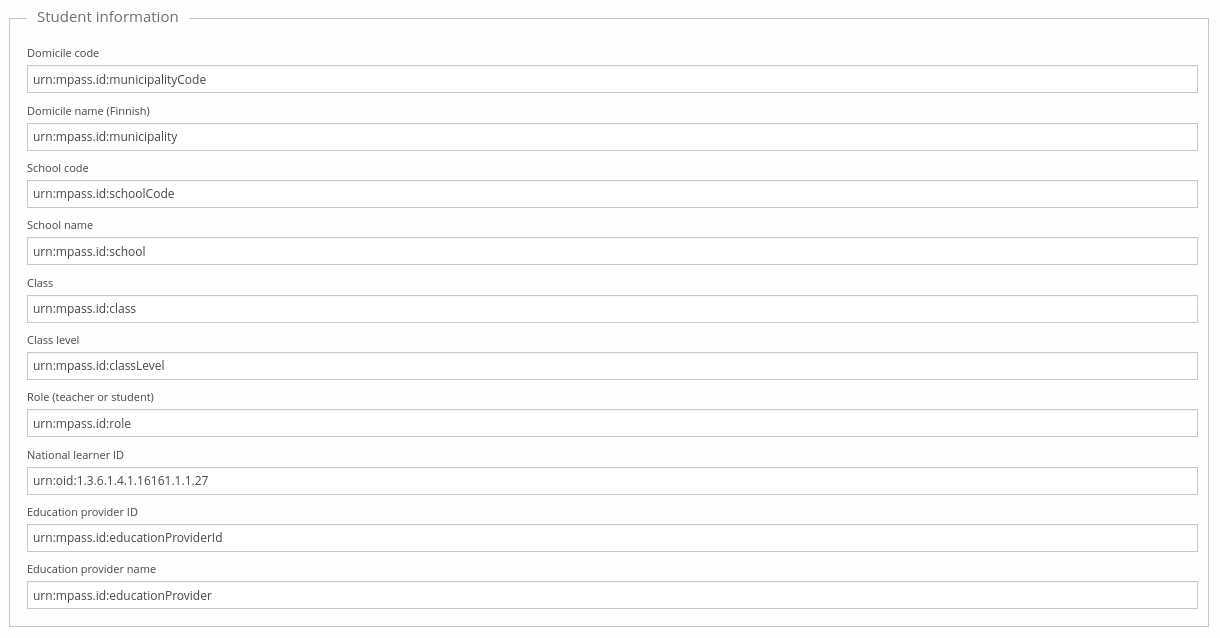
Trivore ID only supports a single value for domicile code and name (municipality in MPASSid), which may be a problem for integrations that need multiple values for these fields. Contact Trivore ID's development team if this proves to be an issue.