User Directory Login Requirements
Sign-in via a user directory can be restricted by setting login requirements, on the directory's Login rules and actions tab. A requirement matches an attribute from the external directory against an expected value — if it doesn't match, sign-in via that directory is denied.
Example: restricting by Azure AD group membership
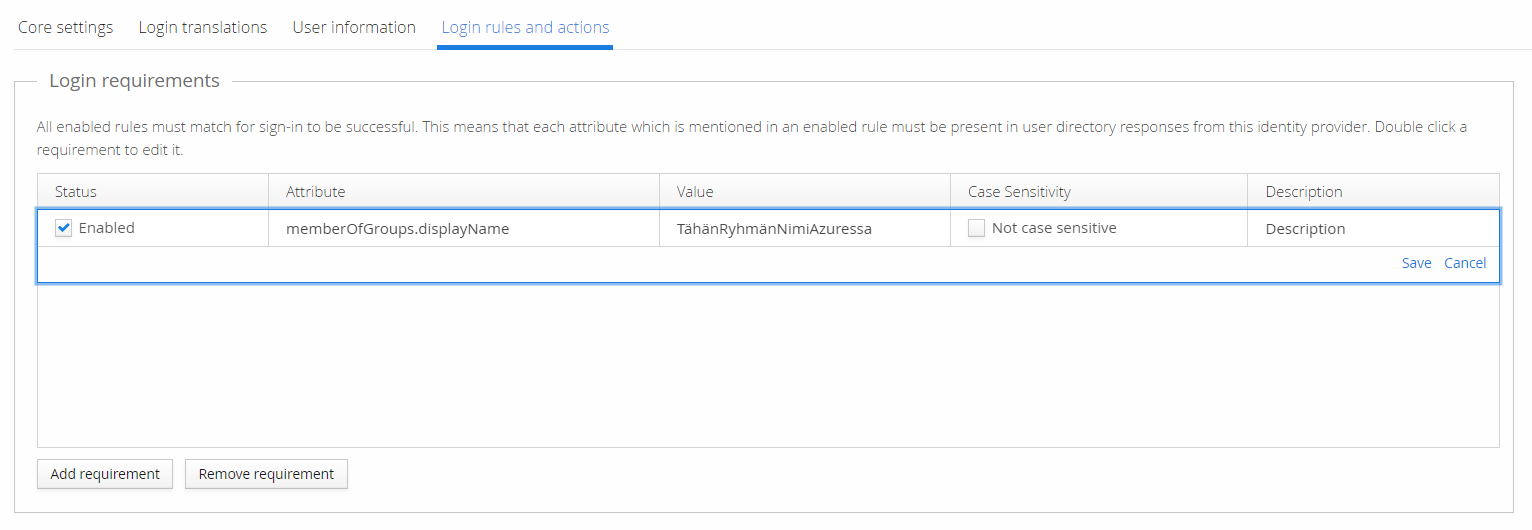
To restrict sign-in to members of a specific Azure AD group, select Add requirement and use
memberOfGroups.displayName as the attribute, with the exact group name in Azure AD as the
value.
Save the requirement, then remember to also save the user directory's settings using the green button in the top-right corner.