Configure OP Identity Service Broker User Directory
This page covers how to configure the OP Identity Service Broker as a Trivore ID user directory.
Prerequisites:
- An agreement with Trivore to use the OP Identity Service Broker with Trivore ID — contact Trivore Sales or your Trivore contact person.
- An agreement with OP to use the OP Identity Service Broker — you'll receive a Client ID from OP once this agreement is completed.
See OP's own documentation for more information about the service. For contractual matters, contact your own OP cooperative bank.
Providing technical information to OP
For Trivore ID to connect to OP's system, return the following information to OP using the form template they provide:
| Field | Description | Example |
|---|---|---|
| Business ID | Your company's VAT code | 1234567-8 |
| Company Name | Your registered company name | Example Oy |
| JWKS URI | The JSON Web Key Set (JWKS) URI | https://my-trivore-id.net/openid/signed-jwks |
| Redirect URL | The OpenID Connect redirect URL | https://my-trivore-id.net/openid/login-callback |
| OpenID Entity Statement | A file downloaded from Trivore ID (see below); deliver this file to OP | op-entity-statement-id.trivore.com.jwt |
Create a user directory in Trivore ID
- Select User Directories from the Main Menu and select Add directory.
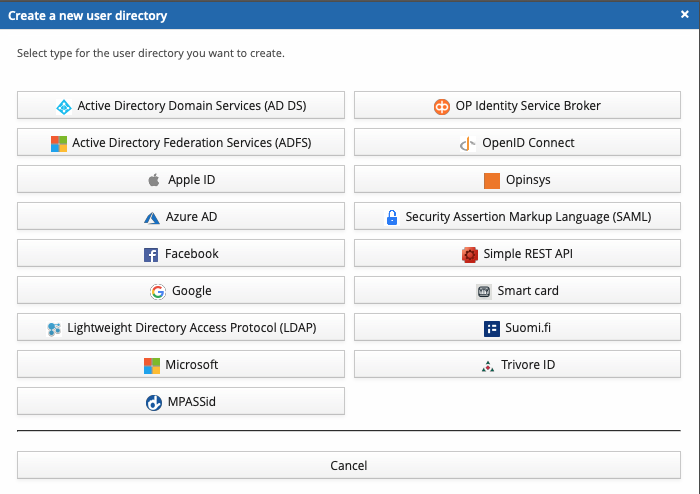
- Select the directory type OP Identity Service Broker.
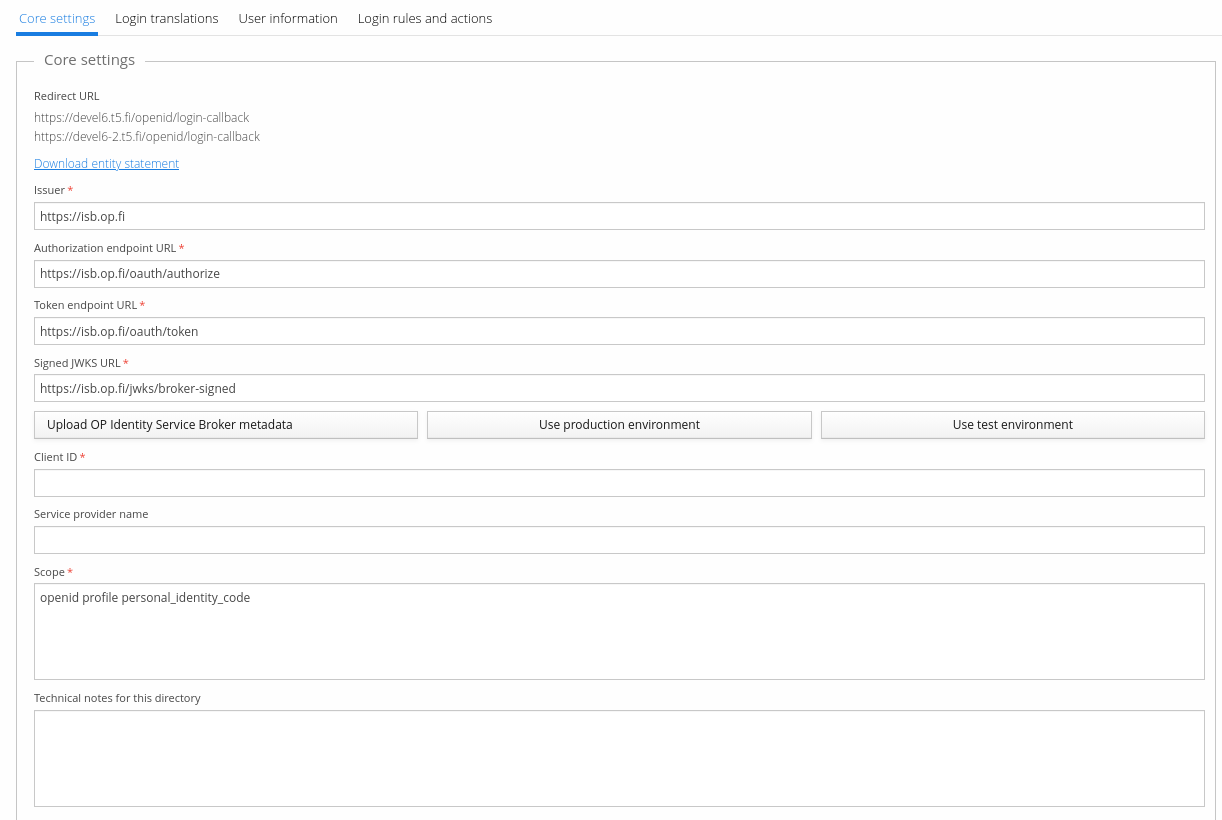
- Select Use production environment to auto-populate the correct parameters — recommendation: use the test environment first to verify your settings with OP.
- Enter the Client ID you received from OP.
- Save the user directory using the button in the top-right corner.
- Select Download entity statement and deliver the file to OP.
- Adjust the Scope value if needed. Scope is a space-separated list of requested
information sets — it must include
openidandpersonal_identity_code, and can optionally includeprofile,weak, and/orstrong; other values are rejected. For example,openid profile personal_identity_codeis acceptable.profileincludesname,given_name,family_name, andbirthdate. If your purpose for identifying the user is to create a new identification method for them — for example, a username/password account — report that purpose by addingweak(for weak identifiers such as a password account) orstrong(for strong electronic identification, licensed members of the Finnish Trust Network only) to the scope. Usingweakorstrongmay affect pricing, depending on your contract. The default scope value in Trivore ID isopenid profile personal_identity_code. - Enter a Service provider name if needed — the human-readable name of the service the user is authenticating to, shown to the user so they understand which service they're identifying to (for example, your organisation's legal or trade name). Since this value is processed by several different identity providers and may be shown on different user interfaces, including mobile apps, keep it reasonably short and avoid unusual characters so it displays consistently.