Configuring Multi-Tenant Microsoft Entra ID Authentication for Trivore ID
This guide explains how to configure multi-tenant Microsoft Entra ID authentication for a single Trivore ID user directory.
In this setup:
- A primary Entra ID tenant hosts the application registration.
- Users from multiple external Entra ID tenants are allowed to authenticate.
- All authenticated users are mapped to a single Trivore ID user directory.
Prerequisites
Before starting, ensure you have:
- A primary Microsoft Entra ID tenant (used for application registration)
- The Tenant IDs of all external Entra ID tenants that should be allowed to authenticate
- Access to your Trivore ID instance
Configure the Primary Microsoft Entra ID Tenant
Follow the general instructions in:
Required changes for multi-tenant support
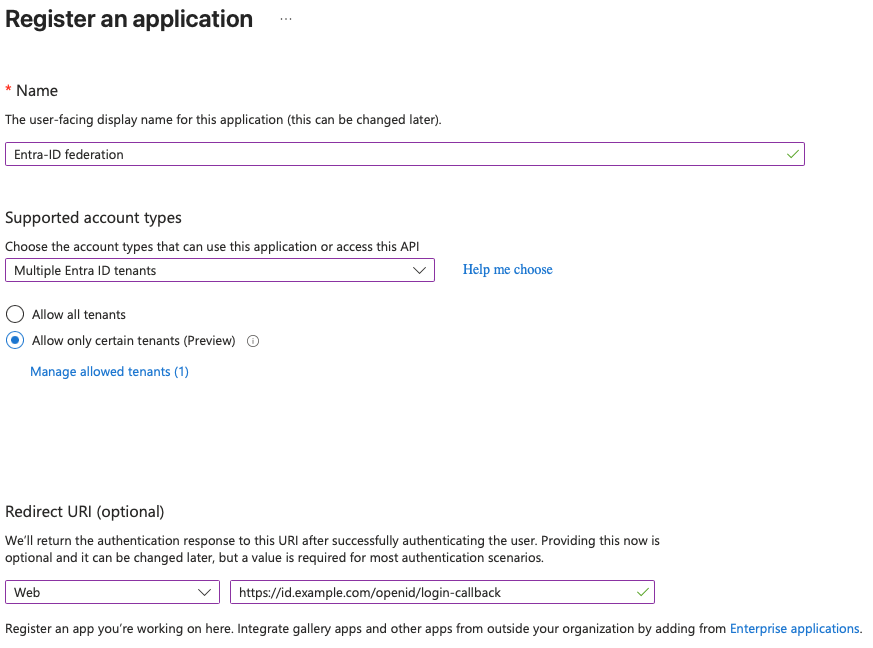
When configuring the application registration:
-
Supported account types
- Set to:
Multiple Entra ID tenants
- Set to:
-
Restrict allowed tenants
- Enable: Allow only certain tenants (Preview)
- Add the external tenants:
- Click Manage allowed tenants
- Add the Tenant IDs of all allowed Entra ID tenants
Updating an existing application
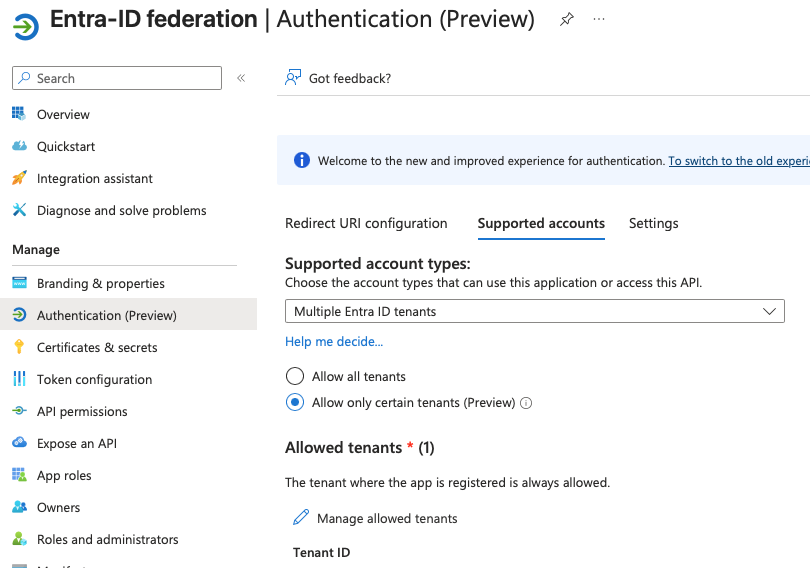
You can modify these settings for an existing application:
Configure Trivore ID
- Log in to your Trivore ID instance
- Select the namespace where the user directory will be created
Note:
Only users within the selected namespace can authenticate using this directory.
New users can be automatically created in this namespace if enabled.
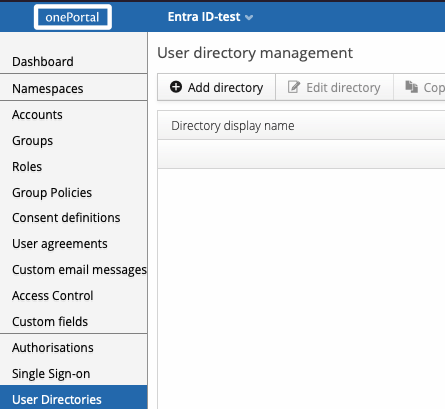
- Navigate to User Directories
- Click Add directory
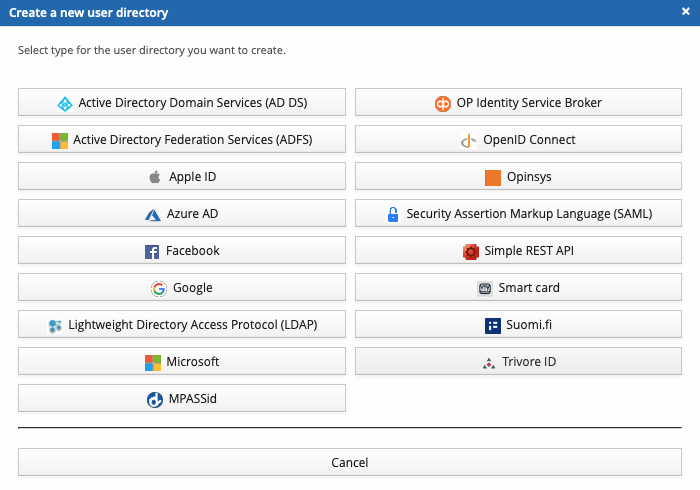
- Select Microsoft
Directory Configuration
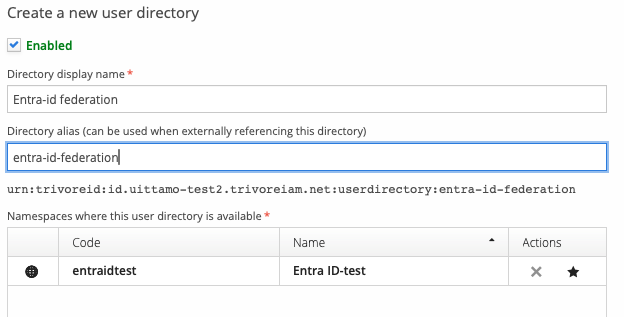
General Settings
-
Name
Provide a descriptive name (e.g., Entra ID Federation) -
Namespaces
Select which namespaces can use this directory
Core Settings
Configure the following fields:
-
Sign-in audience
- Set to:
Only users with work or school accounts from Azure AD
- Set to:
-
Client ID
- Application (client) ID from the Entra ID app registration
-
Client Secret
- Secret generated in the Entra ID app registration
-
Allowed Tenants
- List of Tenant IDs for all allowed Entra ID tenants
- These must match the tenants configured in Entra ID
Scope (Optional)
The default scope allows access to basic user profile information and is sufficient for most use cases.
Modify the scope only if additional permissions are required.
Additional Resources
- https://trivoreid.com/docs/management/user-directories/how-to-entra-id/
- https://trivoreid.com/docs/management/user-directories/azure-ad
Summary
This configuration enables:
- A single Entra ID application to serve multiple organizations
- Controlled access by restricting authentication to specific tenants
- Centralized user management in Trivore ID
Ensure that:
- The same tenant IDs are configured in both Entra ID and Trivore ID
- Client credentials are correctly copied
- Namespace settings match your intended access model