Support
System Preferences → Support configures automated reporting to Trivore support, and a couple of diagnostic utilities.
Uptime report
Automatically sends an uptime report by email to configured addresses, using a chosen email template. The sending schedule itself is configured in Scheduled Tasks. Send report now sends one immediately, regardless of the schedule.
Health reports
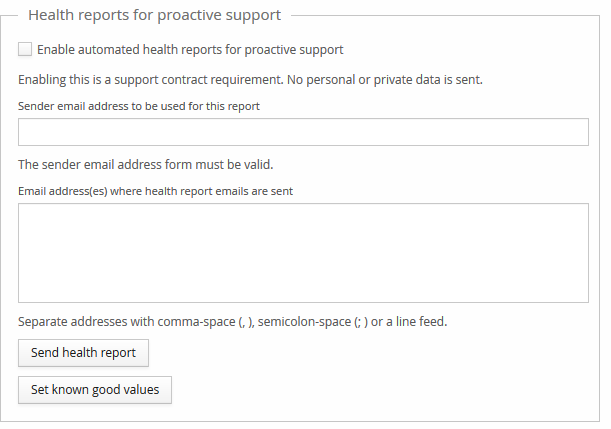
Automated health reports for proactive support — enabling this is a support contract
requirement. No personal or private data is sent. Requires a valid Sender email address and
one or more Email address(es) where health report emails are sent, separated by
comma-space (, ), semicolon-space (; ), or a line feed.
Problem reports
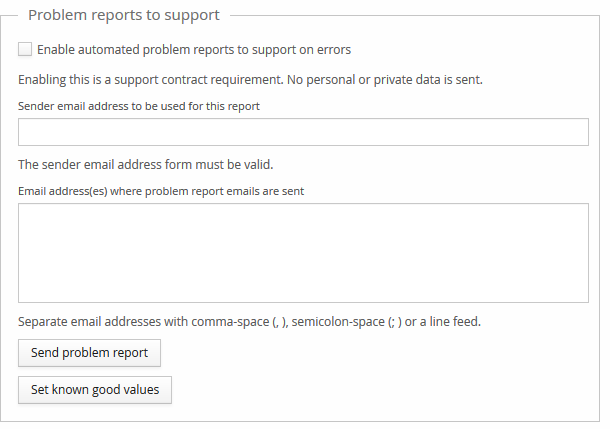
The same as Health reports above, but sent automatically on errors rather than on a schedule.
Hash generator
A small utility: enter a plaintext password and generate its bcrypt hash.
Event types
A reference table of every Event Log event type: its Event ID, life-time class, log level, log type, and default event text — exportable. Below the table:
- Entries with life-time
GENERALare purged after 90 days. - Entries with life-time
LONG_LIFEare purged after 1,825 days. - Entries with life-time
OBJECT_LIFETIME_PLUS_LONG_LIFEare purged 1,825 days after the related entity is deleted.
See Event Log for the general retention concepts these values apply to.