API Client Credentials
Acquiring the client ID and client secret
The client ID and client secret are acquired via the web UI by navigating to the Management API view from the Main Menu (see the figure below). A new client can be registered by clicking Register new, which opens a view where the client's information can be specified.
If a client is selected from the list, it can be copied using the Copy button — this creates a new API client with the same configuration, owned by the currently signed-in user. Pressing the button automatically opens the editor for the copied API client; the client ID and secret are generated once you press Save in the editor.
A client can be activated or deactivated from its editor.
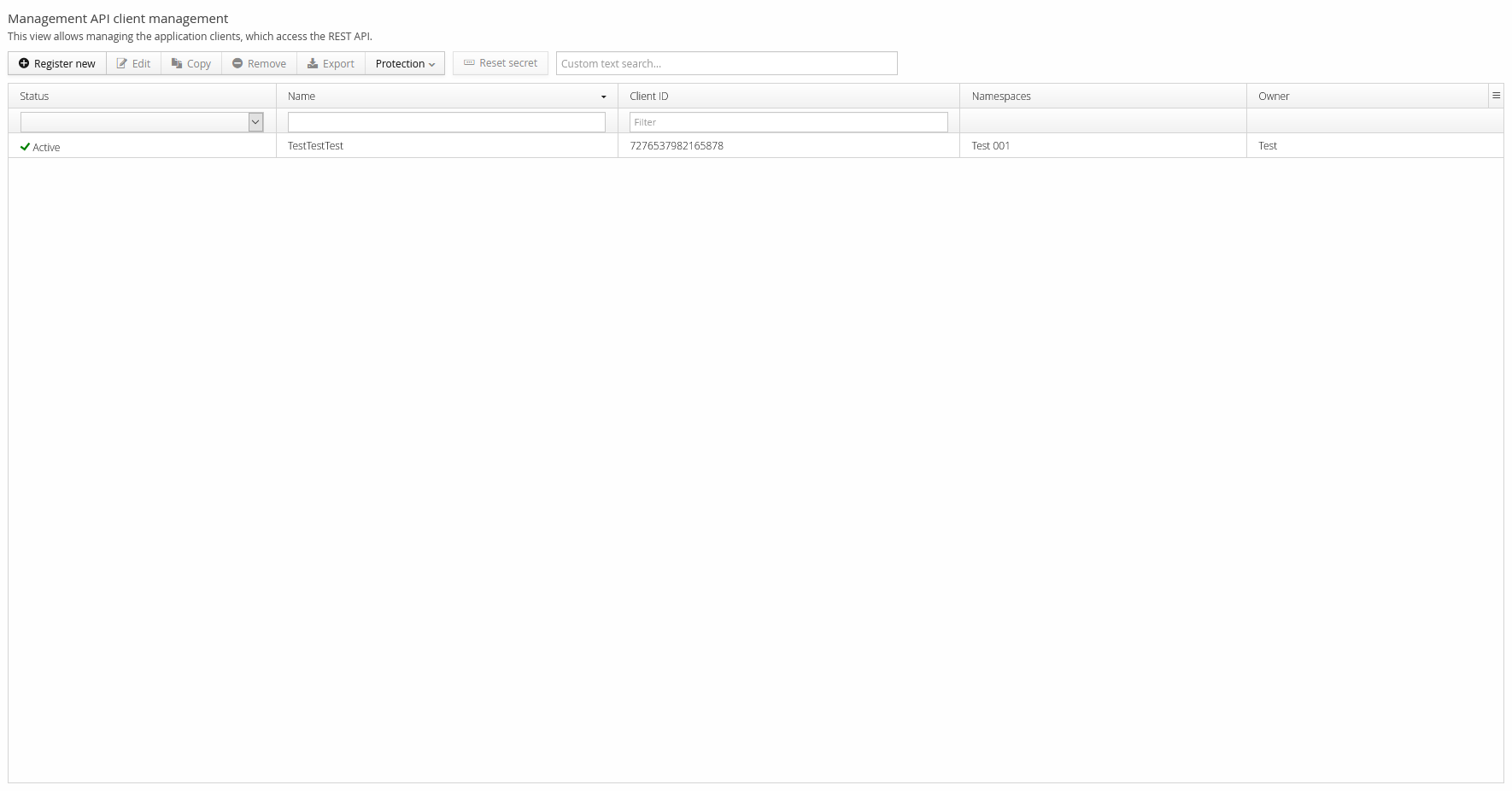
The client must have a name and a specified owner. The selected owner is considered responsible for the use of the client's credentials, and also acts as a contact person regarding the client. A client's access should be restricted to a minimal set of namespaces and permissions; it can also have allowed/disallowed IP address rules and rate-limiting options for API calls.
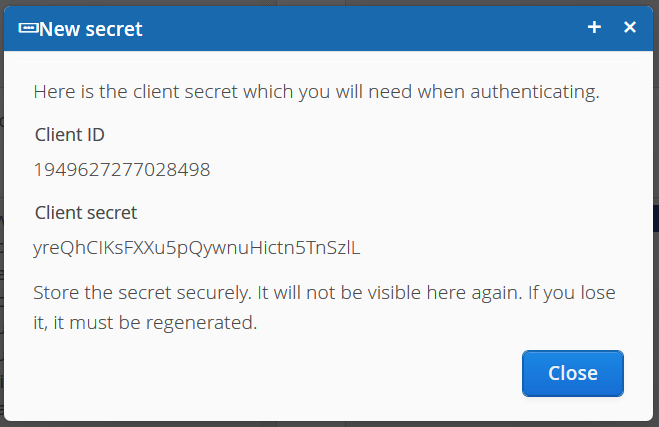
After saving a new client, a pop-up shows the newly generated client ID and client secret (see the figure below). By design, the client secret is confidential and only shown once — after closing the window, it can't be retrieved again, though a new one can be generated. The client ID isn't confidential, and can be viewed at any time in the Management API view.
Renewing the client secret
It's possible to renew a client's secret. Renewing it immediately renders the old secret non-functional.
To renew it, navigate to the Management API view, select the client from the list, and click Reset secret on the toolbar. The client secret is regenerated, but the client ID remains unchanged.
Configuring the client
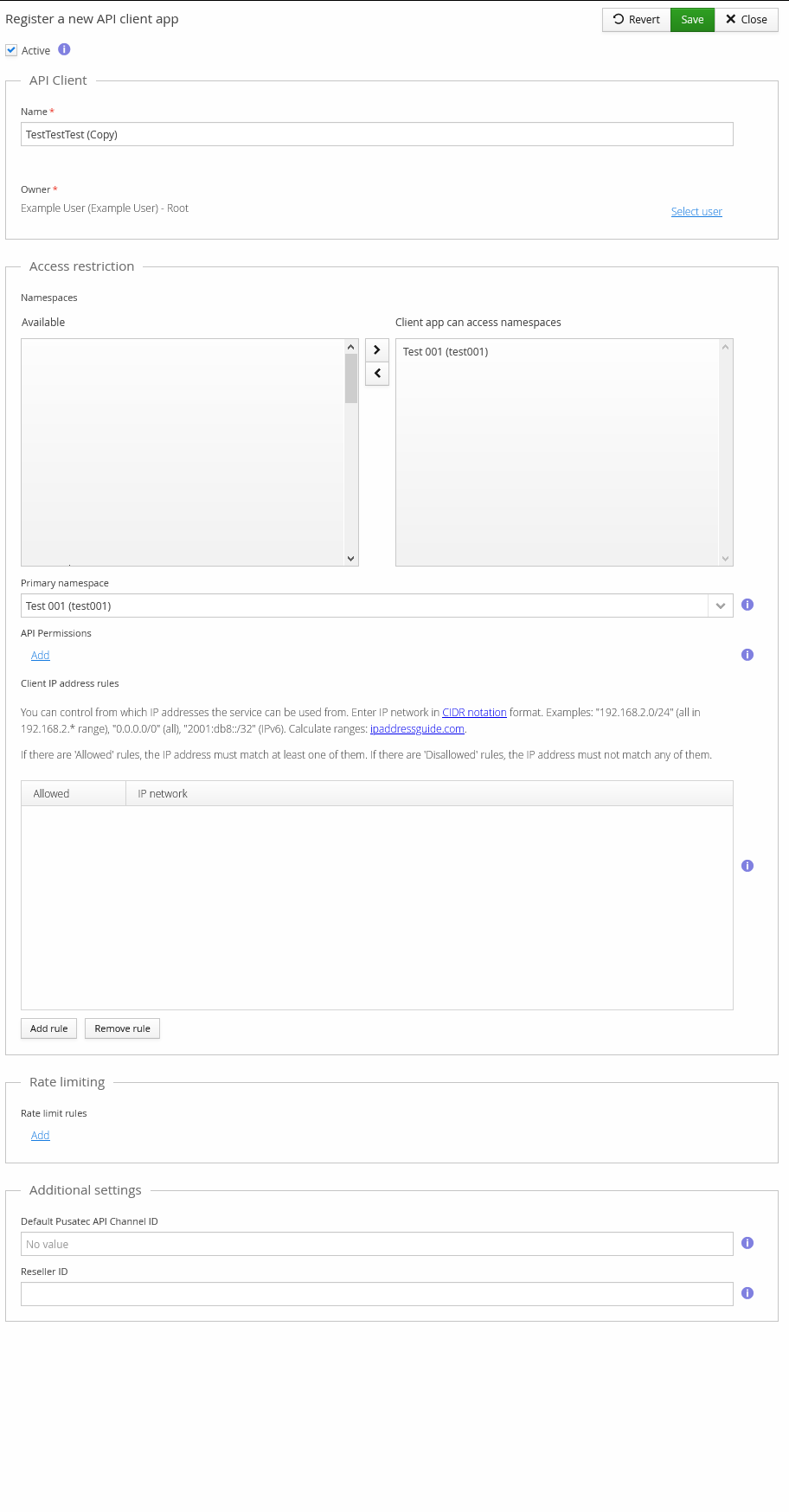
When creating a new client, configure it in the Trivore ID web UI, shown in the figure below. The editor has options for which namespaces the client is allowed to access, and which permissions it has.
As noted earlier, client access configuration should follow the principle of least privilege — the client should only have access to the resources necessary for it to perform its tasks.
The available API permissions grow along with Trivore ID's own feature set, so a maintained list of permissions isn't included here; the permission required by each resource is listed in the API documentation instead.
IP address rules restrict which source IP addresses requests are allowed from, entered in CIDR notation. IP address ranges can be converted to CIDR notation using a tool such as ipaddressguide.com, among other freely available tools.
IP addresses can be either allowed or disallowed. The logic for evaluating the lists is simple: if there are Allowed rules, the IP address must match at least one of them; if there are Disallowed rules, the IP address must not match any of them.
Rate-limiting rules can be set per HTTP method, with a minimum and maximum artificial delay.
Protection
An API client can be protected against accidental modification. Protection must be disabled before any modification or removal is possible — it doesn't apply to actions performed through APIs, only to actions made through this web UI. Enabling protection requires giving a reason.
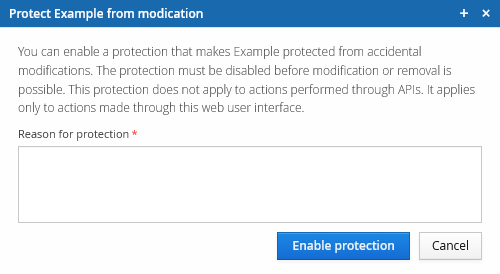
Once enabled, the notice below appears in the editor when trying to edit or remove a protected API client.

Export
Management API clients can be exported from this view. Pressing Export opens a dialogue with the client's information in JSON format, in a shape similar to:
{
    "id" : "5ed64aedc3f8b70e0c6bbb3e",
    "name" : "TestTestTest",
    "clientId" : "7276537982165878",
    "active" : true,
    "softDeleted" : false,
    "apiPermissions" : [ ],
    "allowedIpRules" : [ ],
    "rateLimitRules" : [ ],
    "meta" : {
      "created" : "2020-06-02T12:49:49.653Z",
      "lastModified" : "2020-06-02T12:49:49.653Z"
    },
    "namespaceCodes" : [ "test001" ],
    "primaryNamespaceCode" : "test001",
    "ownerId" : "85372809@Test 001 (Test)"
}
The client secret itself is never included in an export.